
1. Login to your cPanel.
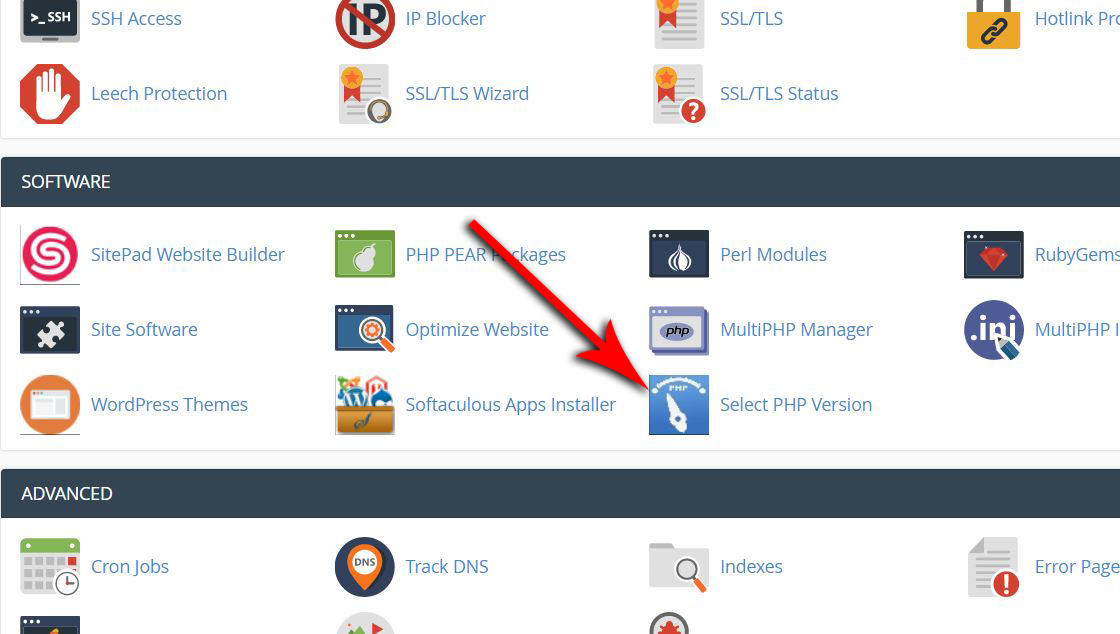
2. Scroll down to the Software section.
3. Click on Select PHP Version
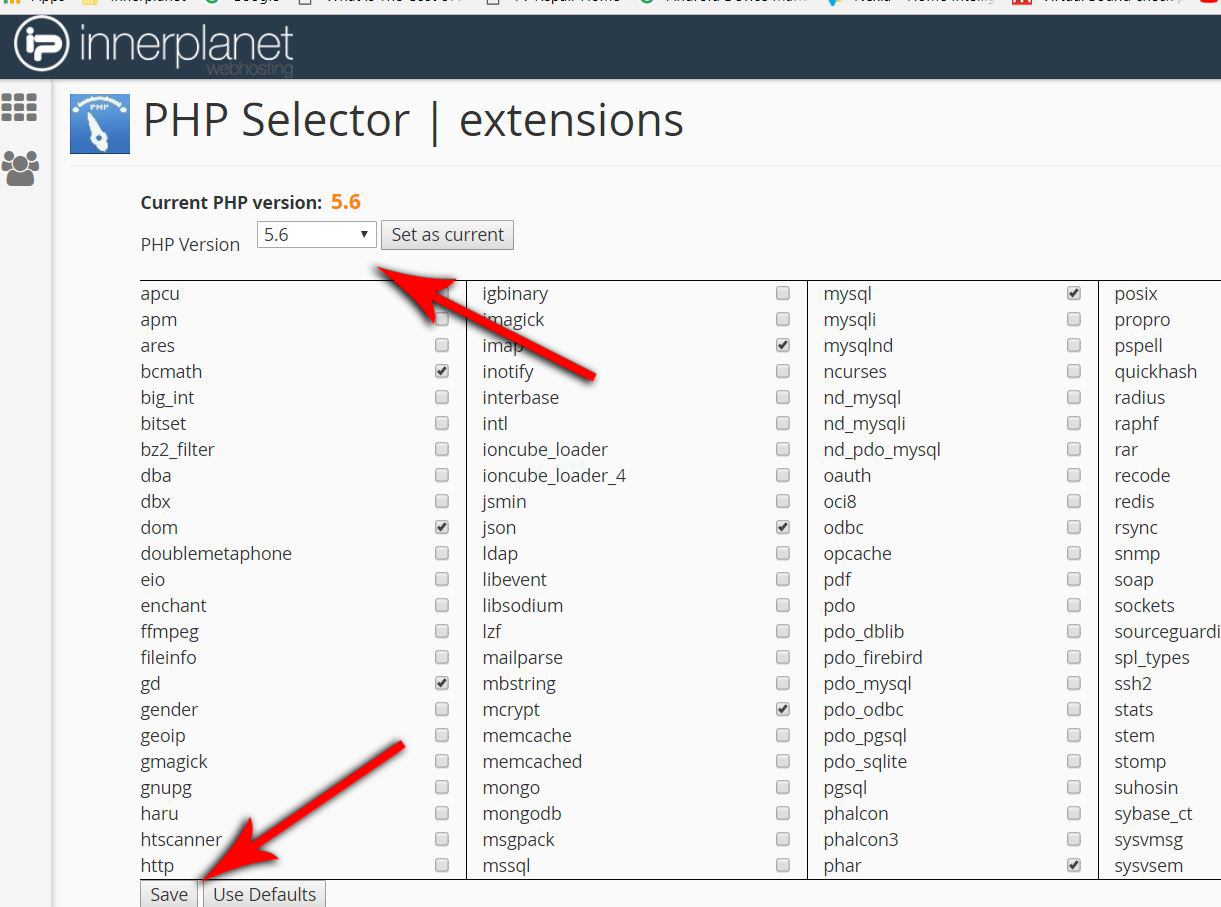
4. In the upper left, select your required PHP version.
5. In the lower left, click save.
1. Login to your cPanel.
2. Scroll down to the Software section.
3. Click on Select PHP Version
4. In the upper left, select your required PHP version.
5. In the lower left, click save.
Powered by WHMCompleteSolution
